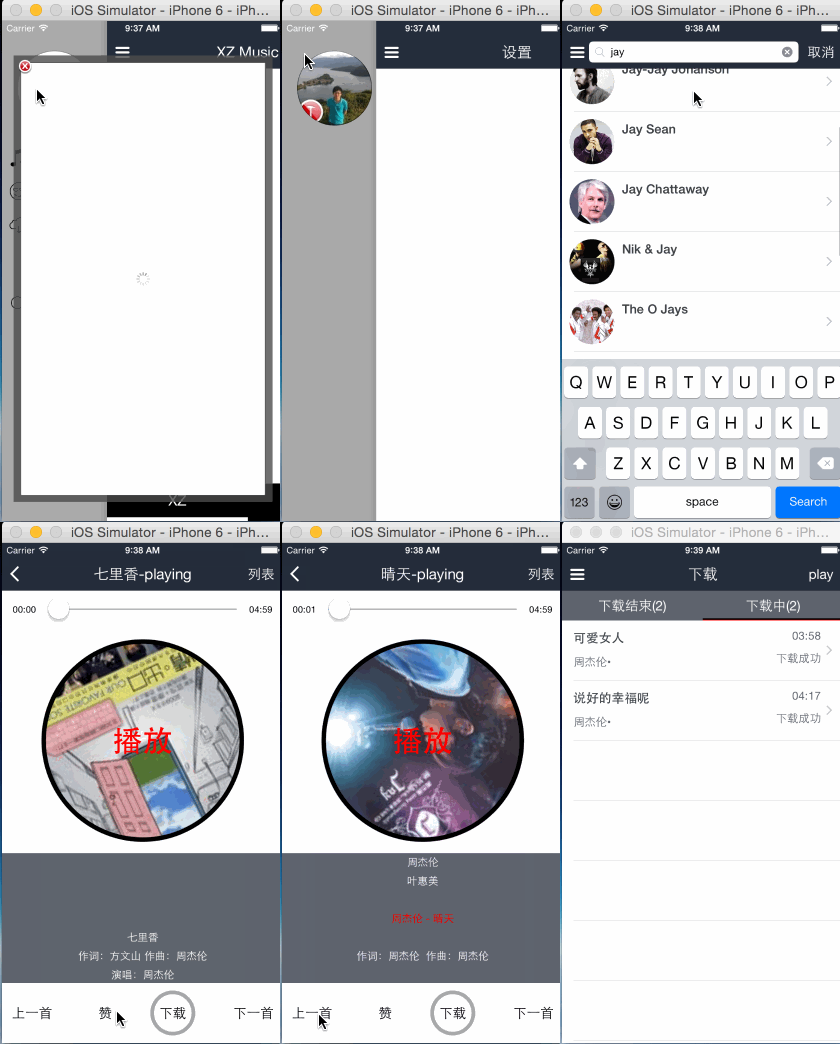
先上效果图
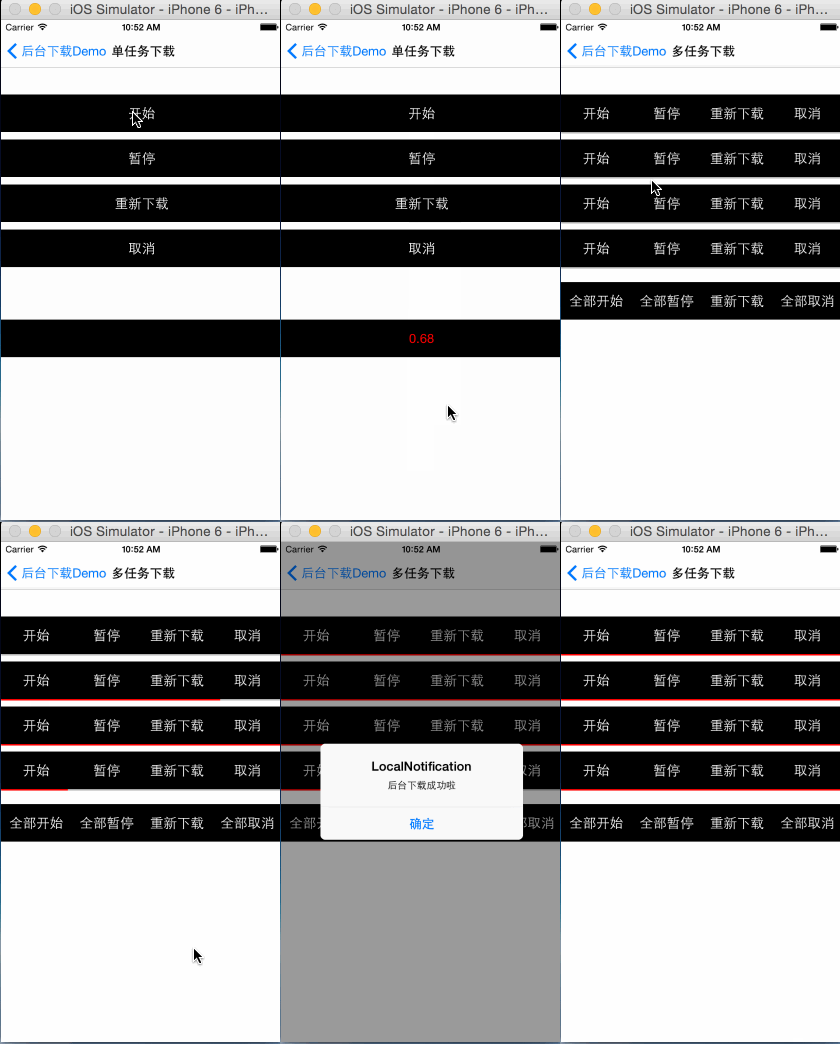
github地址
https://github.com/kingundertree/XZDownloadTask
说明
之前坐过几版下载的demo,要么不支持多任务、要么不支持后台下载或者对设计不满意。
这次重新设计新的模块,支持单任务、多任务、后台下载。
保留一个彩蛋,供下次优化。
功能
- 支持单个任务下载,实现下载、暂停、重新下载、取消等。
- 单个任务支持后台下载,下载内容存储和下载信息回调,包括下载存储url和下载进度
- 支持多任务下载,包括批量下载、批量暂停、批量取消、批量重启。支持单个任务设置是否后台下载。同样支持单个任务的进度等信息回调。
实现机制
- 下载基于iOS7 NSURLSessionDownloadTask 实现,通过配置NSUrlSession实现
- 通过NSURLSession配置backgroundSessionConfigurationWithIdentifier,实现后台下载
- 通过NSURLSession配置defaultSessionConfiguration,实现普通下载
- 通过NSURLSessionDownloadDelegate的代理方法,获取下载进度进度、下载成功失败以及后台下载完成信息
设计模式
XZDownloadTask.........................下载类
    XZDownloadManager..................下载主功能实现区
    XZDownloadGroupManager.............多人下载管理类
    XZDownloadElement..................每个下载任务的辅助类
    XZDownloadResponse.................下载成功失败进度的响应类
单任务下载实现
1.创建下载任务
通过isDownloadBackground分别创建常规下载任务或后台下载任务。
- (void)configDownloadInfo:(NSString *) downloadStr isDownloadBackground:(BOOL)isDownloadBackground identifier:(NSString *)identifier succuss:(void (^)(XZDownloadResponse *response)) succuss fail:(void(^)(XZDownloadResponse *response)) fail progress:(void(^)(XZDownloadResponse *response)) progress cancle:(void(^)(XZDownloadResponse *response)) cancle pause:(void(^)(XZDownloadResponse *response)) pause resume:(void(^)(XZDownloadResponse *response)) resume{
    self.downloadSuccuss = succuss;
    self.downloadFail = fail;
    self.downloadProgress = progress;
    self.downloadCancle = cancle;
    self.downloadPause = pause;
    self.downloadResume = resume;

    self.identifier = identifier ? identifier : [[NSProcessInfo processInfo] globallyUniqueString];

    if (isDownloadBackground) {
        [self startBackgroundDownload:downloadStr identifier:self.identifier];
    } else {
        [self startNormalDownload:downloadStr];
    }
}
2.常规下载任务
- (void)startNormalDownload:(NSString *)downloadStr {
    NSURLRequest *request = [NSURLRequest requestWithURL:[NSURL URLWithString:downloadStr]];
    self.normalSessionTask = [self.normalSession downloadTaskWithRequest:request];
    [self.normalSessionTask resume];
}

- (NSURLSession *)normalSession {
    if (!_normalSession) {
        NSURLSessionConfiguration *sessionConfig = [NSURLSessionConfiguration defaultSessionConfiguration];
        _normalSession = [NSURLSession sessionWithConfiguration:sessionConfig delegate:self delegateQueue:nil];
        _normalSession.sessionDescription = @"normal NSURLSession";
    }

    return _normalSession;
}
3.后台下载任务
- (void)startBackgroundDownload:(NSString *)downloadStr identifier:(NSString *)identifier {
    NSURLRequest *request = [NSURLRequest requestWithURL:[NSURL URLWithString:downloadStr]];
    self.backgroundSession = [self getBackgroundSession:identifier];
    self.backgroundSessionTask = [self.backgroundSession downloadTaskWithRequest:request];
    [self.backgroundSessionTask resume];
}

- (NSURLSession *)getBackgroundSession:(NSString *)identifier {
    NSURLSession *backgroundSession = nil;
    NSURLSessionConfiguration *config = [NSURLSessionConfiguration backgroundSessionConfigurationWithIdentifier:[NSString stringWithFormat:@"background-NSURLSession-%@",identifier]];
    config.HTTPMaximumConnectionsPerHost = 5;
    backgroundSession = [NSURLSession sessionWithConfiguration:config delegate:self delegateQueue:nil];

    return backgroundSession;
}
4.暂停下载任务
核心方法cancelByProducingResumeData
- (void)pauseDownload {
    __weak typeof(self) this = self;
    if (self.normalSessionTask) {
        [self.normalSessionTask cancelByProducingResumeData:^(NSData *resumeData) {
            this.partialData = resumeData;
            this.normalSessionTask = nil;
        }];
    } else if (self.backgroundSessionTask) {
        [self.backgroundSessionTask cancelByProducingResumeData:^(NSData *resumeData) {
            this.partialData = resumeData;
        }];
    }
}
4.重启下载任务
核心方法downloadTaskWithResumeData
- (void)resumeDownload {
    if (!self.resumeSessionTask) {
        if (self.partialData) {
            self.resumeSessionTask = [self.normalSession downloadTaskWithResumeData:self.partialData];

            [self.resumeSessionTask resume];
        }
    }
}
5.取消下载任务
核心方法cancel
- (void)cancleDownload {
    if (self.normalSessionTask) {
        [self.normalSessionTask cancel];
        self.normalSessionTask = nil;
    } else if (self.resumeSessionTask) {
        self.partialData = nil;
        [self.resumeSessionTask cancel];
        self.resumeSessionTask = nil;
    } else if (self.backgroundSessionTask) {
        [self.backgroundSessionTask cancel];
        self.backgroundSessionTask = nil;
    }
}
6.后台下载成功后回调
- (void)application:(UIApplication *)application handleEventsForBackgroundURLSession:(NSString *)identifier completionHandler:(void (^)())completionHandler
{
    self.backgroundURLSessionCompletionHandler = completionHandler;
}
7.后台下载成功后回调
- (void)application:(UIApplication *)application handleEventsForBackgroundURLSession:(NSString *)identifier completionHandler:(void (^)())completionHandler
{
    self.backgroundURLSessionCompletionHandler = completionHandler;
}
8.后台下载成功后回调NSURLSessionDownloadDelegate
下载中,处理下载进度
- (void)URLSession:(NSURLSession *)session downloadTask:(NSURLSessionDownloadTask *)downloadTask didWriteData:(int64_t)bytesWritten totalBytesWritten:(int64_t)totalBytesWritten totalBytesExpectedToWrite:(int64_t)totalBytesExpectedToWrite
{
    double currentProgress = totalBytesWritten / (double)totalBytesExpectedToWrite;
    NSLog(@"%@---%0.2f",self.identifier,currentProgress);
}
下载失败
- (void)URLSession:(NSURLSession *)session downloadTask:(NSURLSessionDownloadTask *)downloadTask didResumeAtOffset:(int64_t)fileOffset expectedTotalBytes:(int64_t)expectedTotalBytes
{
    // 下载失败
}
下载成功
- (void)URLSession:(NSURLSession *)session downloadTask:(NSURLSessionDownloadTask *)downloadTask didFinishDownloadingToURL:(NSURL *)location
{
NSFileManager *fileManager = [NSFileManager defaultManager];
NSArray *URLs = [fileManager URLsForDirectory:NSDocumentDirectory inDomains:NSUserDomainMask];
NSURL *documentsDirectory = URLs[0];
NSURL *destinationPath = [documentsDirectory URLByAppendingPathComponent:self.identifier];
NSError *error;
[fileManager removeItemAtURL:destinationPath error:NULL];
BOOL success = [fileManager copyItemAtURL:location toURL:destinationPath error:&error];
if (success) {
dispatch_async(dispatch_get_main_queue(), ^{
});
} else {
}
if(downloadTask == self.normalSessionTask) {
self.normalSessionTask = nil;
} else if (downloadTask == self.resumeSessionTask) {
self.resumeSessionTask = nil;
self.partialData = nil;
} else if (session == self.backgroundSession) {
self.backgroundSessionTask = nil;
AppDelegate *appDelegate = (AppDelegate *)[[UIApplication sharedApplication] delegate];
if(appDelegate.backgroundURLSessionCompletionHandler) {
void (^handler)() = appDelegate.backgroundURLSessionCompletionHandler;
appDelegate.backgroundURLSessionCompletionHandler = nil;
handler();
NSLog(@"后台下载完成");
}
}
}
9.后台下载完成,本地通知
- (void)showLocalNotification:(BOOL)downloadSuc {
    UILocalNotification *notification = [[UILocalNotification alloc] init];
    if (notification!=nil) {

        NSDate *now=[NSDate new];
        notification.fireDate=[now dateByAddingTimeInterval:6];
        notification.repeatInterval = 0;

        notification.timeZone = [NSTimeZone defaultTimeZone];
        notification.soundName = UILocalNotificationDefaultSoundName;
        notification.alertBody = downloadSuc ? @"后台下载成功啦" : @"下载失败";
        notification.alertAction = @"打开";
        notification.hasAction = YES;
        notification.applicationIconBadgeNumber =+ 1;

        NSDictionary* infoDic = [NSDictionary dictionaryWithObject:@"value" forKey:@"key"];
        notification.userInfo = infoDic;
        [[UIApplication sharedApplication] scheduleLocalNotification:notification];
    }
}
多任务下载
多任务下载,基于单独任务下载实现。只是提供了统一的方法进行管理。
多任务下载采用单例管理
1.调用多任务下载,需要手动传入下载请求
需要手动添加identifier,并通过identifier作为唯一标识,处理后续下载任务。
NSString *identifier = [[NSProcessInfo processInfo] globallyUniqueString];

[[XZDownloadGroupManager shareInstance] addDownloadRequest:[musicUrlArr objectAtIndex:index] identifier:identifier targetSelf:self showProgress:YES isDownloadBackground:YES downloadResponse:^(XZDownloadResponse *response) {
    [this handleResponse:response];
}];
2.下载任务处理
这是下载模块处理最频繁的方法
- (void)handleResponse:(XZDownloadResponse *)response {
    if (response.downloadStatus == XZDownloading) {
        NSLog(@"下载任务ing%@",response.identifier);
        XZDownloadView *downloadView = [self getDownloadView:response.identifier];
        dispatch_async(dispatch_get_main_queue(), ^{
            downloadView.progressV = response.progress;
        });
    } else if (response.downloadStatus == XZDownloadSuccuss) {
        NSLog(@"下载任务成功%@",response.identifier);
        XZDownloadView *downloadView = [self getDownloadView:response.identifier];
        downloadView.progressV = 1.0;
    } else if (response.downloadStatus == XZDownloadBackgroudSuccuss) {
        NSLog(@"后台下载任务成功%@",response.identifier);
        [self showLocalNotification:YES];
        XZDownloadView *downloadView = [self getDownloadView:response.identifier];
        downloadView.progressV = 1.0;
    } else if (response.downloadStatus == XZDownloadFail) {
        NSLog(@"下载任务失败%@",response.identifier);
        [self showLocalNotification:NO];
    } else if (response.downloadStatus == XZDownloadCancle) {
        NSLog(@"下载任务取消%@",response.identifier);
    } else if (response.downloadStatus == XZDownloadPause) {
        NSLog(@"下载任务暂停%@",response.identifier);
    } else if (response.downloadStatus == XZDownloadResume) {
        NSLog(@"下载任务重启%@",response.identifier);
    }
}
3.多任务的暂停、重启、取消
暂停
[[XZDownloadGroupManager shareInstance] pauseAllDownloadRequest];
重启
[[XZDownloadGroupManager shareInstance] resumeAllDownloadRequest];
取消
[[XZDownloadGroupManager shareInstance] cancleAllDownloadRequest];